Every project's completion, current stage and last word from site. The site team posts progress and photos from the phone; the office verifies each update.
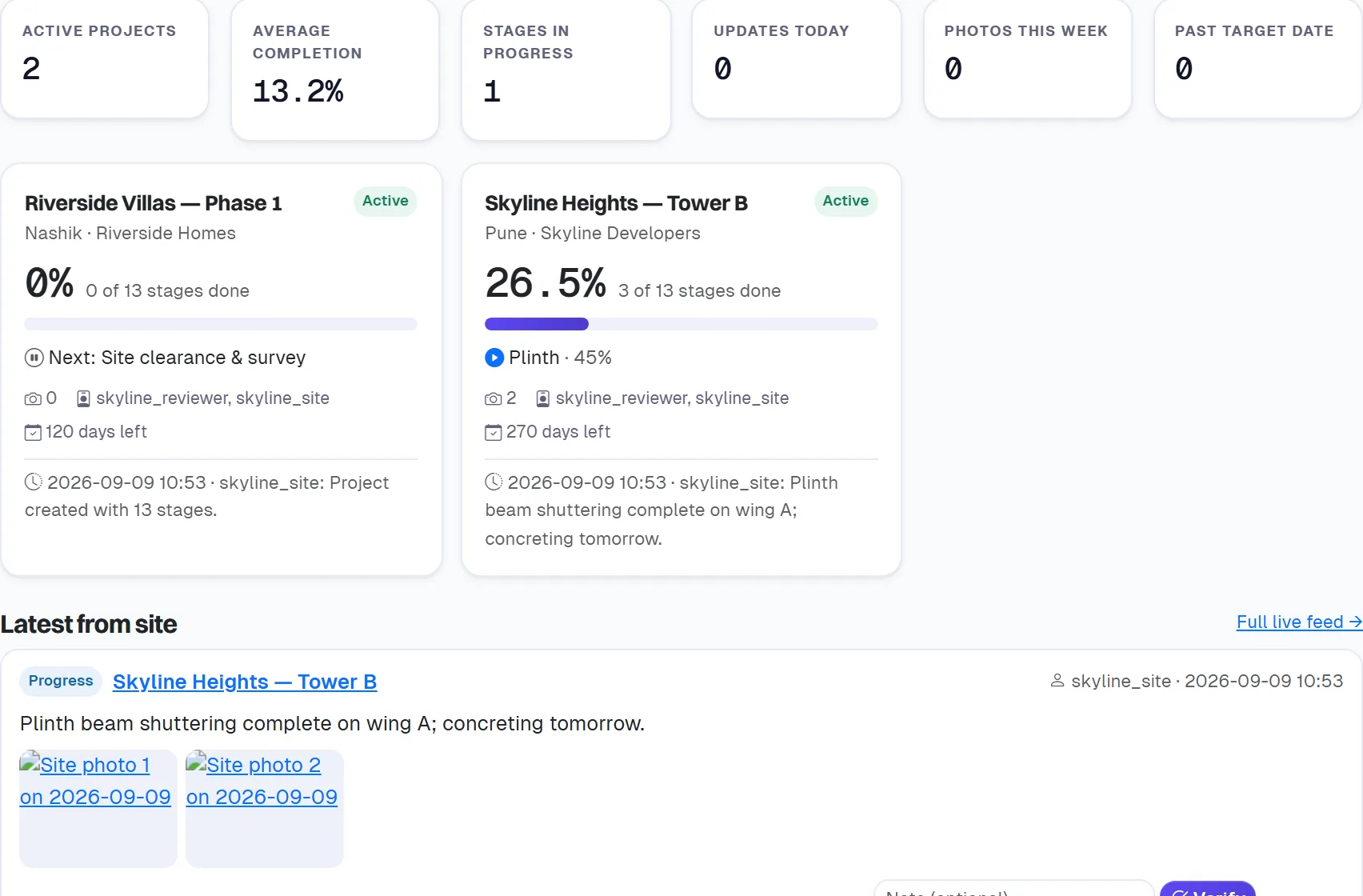
A pipeline for each project, a site manager who starts and finishes each stage from a phone with photos, and a completion percentage that computes itself — checked live by the owner or a reviewer.
“How far along is the tower?” answered from memory, differently each time.
Site photos scattered across chats, never against the stage they belong to.
Typed in, rounded up, and disconnected from the actual work.
Each capability below is a screen that exists today — not a roadmap.
Every project starts with a construction pipeline — excavation to handover — that the owner can rename, reorder and weight.
Weighted by stage: finished stages count in full, the running stage at its percentage, the rest not at all. Never typed.
The site manager posts from a phone: photos are rotated, downscaled and stored against the update and its stage.
Every project's percentage, current stage, last update and days to target, refreshing on its own for the checker.
The owner, or a reviewer on their behalf, marks each update verified or flags it back to site with a note.
Project Owner, Progress Reviewer and Site Manager — created from your Admin Panel; a site manager sees only their projects.
One region of the product on a demonstration company — no client, employee or customer appears.
Name, location, target date; the pipeline is seeded for you and can be edited.
From the Admin Panel; they sign in on their phone and see their sites.
Start, progress, complete — with photos; the dashboard and feed update live.
Owners and reviewers see every project; a site manager sees only the projects assigned to them.
No. It is computed from the stages, which is the point — the figure on the dashboard is the figure on site.
It is built for one: big controls, the camera for photos, no app to install.
A free trial or a 20-minute demo — tell us which, and who to call.